
Hostinger is the host many people land on because the price looks almost too low. The Lithuanian company has grown into one of the largest budget hosts in the world, and it has earned that growth with a clean control panel, fast NVMe storage on most plans and an AI toolkit that can build and manage a WordPress site for you.
For a first website, a blog or a small business site, it’s a very good deal. The headline prices depend on prepaying for 48 months, though, and the plans differ more than the names suggest. Weekly backups on the cheapest plan, for example, may not be enough for a busy store. Pick the right plan and term, and Hostinger is one of the best values in hosting.
Hostinger prices and renewals
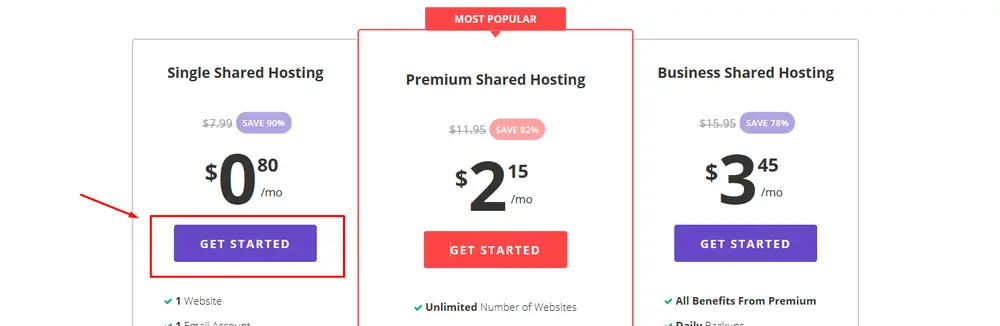
These are Hostinger’s US-dollar prices on its 48-month term, checked October 24, 2026 during a Black Friday promotion. The full term is paid upfront and tax is extra.
| Plan | Intro price | Paid upfront (48 months) | Renews at | Websites | Storage | Backups |
|---|---|---|---|---|---|---|
| Premium | $2.49/mo | $119.52 | $10.99/mo | 3 | 20 GB SSD | Weekly |
| Unlimited | $3.49/mo | $167.52 | $16.99/mo | Unlimited | 50 GB NVMe | Daily |
| Cloud Startup | $7.99/mo | $383.52 | $25.99/mo | Unlimited | Cloud resources | Daily |
Shorter terms cost more per month. A free domain is included for the first year, and email mailboxes are free for the first year on these plans. Every plan has a 30-day money-back guarantee.
The 48-month price is the real story. Premium at $119.52 covers 4 years, or about $30 a year, which is hard to beat. Then it renews at $10.99 a month.
Which plan to choose
Premium fits a personal site, portfolio or simple blog. Three websites and 20 GB are enough for most starter projects, but backups are only weekly.
Unlimited is the better choice for a business. It costs $1 more a month at the intro rate, adds daily backups, NVMe storage, unlimited sites and a CDN. For anything that takes orders or bookings, we’d start here.
Cloud Startup gives dedicated resources for agencies and higher-traffic sites without managing a server yourself.
Features worth knowing
- hPanel, Hostinger’s own control panel, which is beginner-friendly
- Hostinger Agent, an AI assistant that can build a WordPress site, set up DNS and fix common issues through chat
- AI Website Builder for people who don’t want WordPress
- 1-click WordPress installs with a WordPress AI assistant
- Free SSL, malware scanning and DDoS protection
- Node.js support on higher plans
- Free AI email marketing for up to 100 subscribers for a year
Support is 24/7 by chat, with priority support on higher plans. Hostinger runs data centers across North America, Europe, Asia and South America, so you can pick a location near your visitors.
Moving an existing site to Hostinger
Hostinger offers free website migration, which you request from hPanel after buying a plan. Its team or automated tool copies your WordPress files and database, and you point your domain’s DNS once everything looks right. Keep your old hosting active until the new site is confirmed working, then cancel.
Email and domains
The free domain lasts for the first year only, after which it renews at Hostinger’s normal domain price. Free mailboxes are also a first-year offer on these plans, so check the email renewal cost if you rely on it for business. Some owners keep their domain with a separate registrar to make future moves easier.
Performance and limits
Hostinger generally performs well for a budget host, helped by NVMe storage and LiteSpeed web servers. Shared plans still share resources, so very busy sites can hit limits and get prompted to upgrade. Google’s web.dev guide explains the page-speed metrics worth tracking, and WordPress.org’s hosting requirements list the server basics any host should meet.
What owners complain about
Hostinger’s reviews are largely positive, especially about price and ease of use. The complaints follow a pattern:
- Renewal prices much higher than the 48-month intro rate
- Upsells during checkout and in the dashboard
- Weekly backups only on Premium
- Resource limits on busy shared sites
- Support quality varies between agents, with AI chat first
The renewal and upsell complaints are the most common. Untick extras you don’t need at checkout.
How to get the best value
- Choose the term you’ll actually use. 48 months gives the lowest price, but you’re committing upfront.
- Pick Unlimited for business sites to get daily backups.
- Untick checkout add-ons you don’t need.
- Note the renewal date and compare prices a month before.
- Keep your own backups of important sites, whatever plan you’re on.
Hostinger vs alternatives
| Hostinger | SiteGround | DreamHost | Kinsta | |
|---|---|---|---|---|
| Entry intro price | $2.49/mo (48 months) | $2.99/mo (12 months) | $2.89/mo (12 months) | Higher |
| Entry renewal | $10.99/mo | $17.99/mo | $10.99/mo | Small change |
| Backups on entry plan | Weekly | Daily | Daily | Daily |
| Control panel | hPanel | Site Tools | Custom | MyKinsta |
| Best for | Lowest long-term price | Supported WordPress sites | Many small sites | Busy, high-value sites |
For stronger WordPress tools and support, see our SiteGround review. DreamHost offers 25 sites on its entry plan with daily backups, and Kinsta is the premium managed option. Dedicated servers are covered in our Liquid Web review. Once your site is up, our Semrush review helps with SEO. More hosts sit in our web hosting reviews.
Who should skip Hostinger
Skip it if you don’t want to prepay for years, if you need cPanel specifically, or if you run a large, high-traffic store that needs managed hosting. The pros and cons are below.
Our verdict on Hostinger
Hostinger offers some of the lowest hosting prices available, backed by a friendly control panel, NVMe storage and useful AI tools. Premium at $119.52 for 4 years is a bargain for personal sites, while Unlimited is the smarter choice for any business thanks to daily backups. Plan for the renewal price and skip the upsells, and it’s excellent value.
Our review method explains how we research hosts without running our own test sites.