GetResponse has been sending email since 1998, long enough to outlast most of its early rivals. The Polish company has since grown its core newsletter tool into a wider marketing suite, adding automation, landing pages, sales funnels, webinars, online courses and paid newsletters. AI tools now help write emails and build courses.
That breadth is the reason to choose it. A small business or creator can run email, a webinar and a course from one account instead of paying for three tools. The catch is that the useful extras are spread across plans. Starter is fairly basic, automation really starts on Marketer, and webinars and courses need Creator. Pick the plan for the features you’ll actually use.

GetResponse pricing
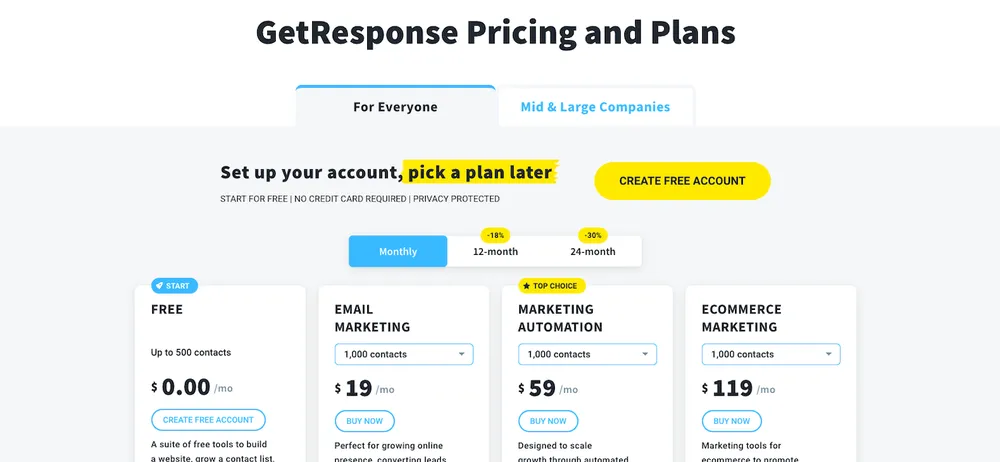
GetResponse prices scale with list size. These are the monthly prices for 1,000 contacts that we checked on October 24, 2026. Paying annually saves 18%.
| Plan | Monthly (1,000 contacts) | Annual, per month | Users | Key additions |
|---|---|---|---|---|
| Free | $0 (up to 500 contacts) | $0 | 1 | Newsletters, landing pages, badge on emails |
| Starter | $19 | About $15.58 | 3 | Unlimited sends, 1 automation workflow |
| Marketer | $59 | About $48.38 | 5 | Unlimited automation, ecommerce tools, funnels |
| Creator | $69 | About $56.58 | 5 | Webinars for up to 100, courses, paid newsletters, website builder |
| Enterprise (GetResponse MAX) | Custom | Custom | Custom | SMS, transactional email, dedicated IP, SSO |
List-size tiers run from 1,000 to 100,000 contacts, and the price rises with each tier. The jump from Marketer to Creator is only $10 a month at 1,000 contacts, which makes Creator good value if you’ll host even one webinar.
What the free plan includes
The free plan covers up to 500 contacts, and your first 14 days include premium features as a trial. After that, the limits are:
- A GetResponse badge on every email
- Landing pages capped at 1,000 unique visitors a month
- Webinars limited to 10 people, with one 30-minute recording
- Courses for up to 250 students, but you can’t sell them
It’s enough to test the editor and build a first list. Most businesses outgrow it quickly.
Features worth paying for
Automation. Marketer opens unlimited workflows with a visual builder: welcome sequences, tagging, abandoned cart emails and behavior-based triggers. This is where GetResponse earns its place.
Ecommerce tools. Marketer and above add abandoned cart recovery, promo codes, product recommendations and revenue tracking for connected stores.
Webinars. Built-in webinars on Creator host up to 100 attendees, with recordings you can reuse as on-demand webinars. Few email tools include this.
Courses and paid newsletters. Creator lets you sell courses and subscriptions directly, so a creator can run the whole funnel from one place.
AI helpers. AI email generation and an AI course creator speed up drafting, with limited use on Starter.
Support is available by 24/7 live chat in English and by email in eight languages.
Deliverability and compliance
Any email tool is only as good as its inbox placement. GetResponse provides authentication tools and list hygiene features, but much depends on you. Since 2024, Google requires bulk senders to authenticate their domains and offer easy unsubscribes; its email sender guidelines list the rules. In the US, the FTC’s CAN-SPAM compliance guide covers what every commercial email must include.
Who GetResponse suits
The clearest fit is a creator or small business that teaches or sells online. Picture a coach who runs a monthly webinar, sells a short course and sends a weekly newsletter. On GetResponse, the webinar sign-up page, the reminder emails, the replay, the course and the follow-up sequence all live in one account on the Creator plan.
Small online stores are the second fit. Marketer’s abandoned cart emails and product recommendations connect to popular ecommerce platforms, which can recover sales that would otherwise be lost. A plain newsletter writer, on the other hand, will pay for features they never touch.
What users complain about
GetResponse is generally rated well for features and value. The complaints we see most often:
- Feature gating, where Starter’s single automation workflow feels limiting
- Price jumps as your contact list grows
- A busy interface with many tools to learn
- Account reviews during signup or after imports, which can delay sending
The interface point eases with time, but plan a few hours to set things up properly.
Getting started well
- Import only opted-in contacts. Bought lists hurt deliverability and break rules.
- Authenticate your domain with SPF, DKIM and DMARC before your first big send.
- Build a welcome sequence of 3 to 5 emails first.
- Tag contacts by interest so you can segment later.
- Use annual billing once you’re sure, to save 18%.
GetResponse vs alternatives
| GetResponse | AWeber | Brevo (Sendinblue) | ActiveCampaign | |
|---|---|---|---|---|
| Strength | Email plus webinars and courses | Simple email for small businesses | Pricing by emails sent, SMS | Advanced automation and CRM |
| Free option | Up to 500 contacts | Check current offer | Yes | Free trial |
| Webinars built in | Yes, on Creator | No | No | No |
| Best for | Creators and small ecommerce | Beginners | Budget senders with big lists | Complex funnels |
If you want the simplest tool, our AWeber review covers a beginner favorite. Big lists that send rarely may save money with Brevo, and our ActiveCampaign review covers deeper automation. For selling digital products, see Payhip or Systeme.io, and ManyChat for social DMs. More tools sit in our email marketing reviews.
Who should skip GetResponse
Skip it if you only need a basic newsletter, if you already use a separate webinar and course platform you like, or if you need advanced CRM sales pipelines. The pros and cons are below.
Our verdict on GetResponse
GetResponse is a strong all-in-one choice for small businesses and creators who want email, automation, webinars and courses in one account. Marketer at $59 a month for 1,000 contacts is the sensible minimum for automation, and Creator adds webinars and courses for just $10 more. Start on the free plan, use the 14-day trial to test the premium tools, and upgrade when you know what you need.
Our review method explains how we research software we haven’t tested hands-on.