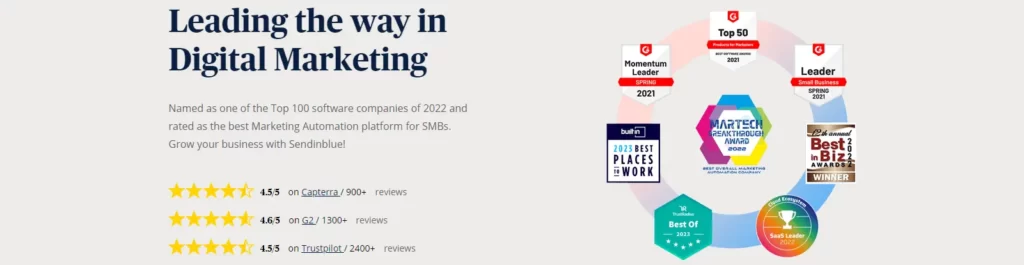
Brevo is the company many people still know as Sendinblue. The Paris-based platform changed its name in 2023 as it grew from email into SMS, WhatsApp, chat, a CRM and transactional messaging. What made it popular hasn’t changed: a genuinely useful free plan and pricing built around how many emails you send, rather than only how many contacts you store.
That model can make Brevo one of the cheapest options for businesses with a large list that they email occasionally. It also hides a catch that trips people up. On the paid Starter and Standard plans, the lowest email tiers come with low contact limits, so the “from $9” price only applies to small lists. Once you understand the tiers, Brevo is excellent value.
Brevo pricing in 2026
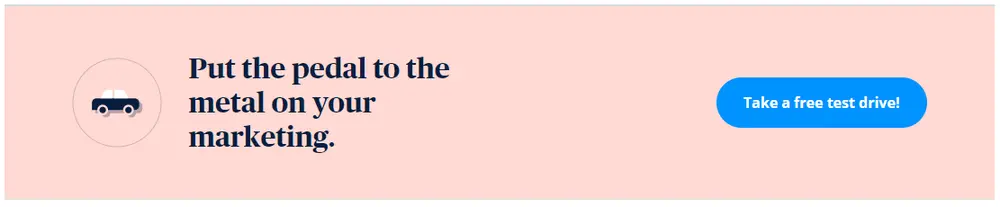
These US-dollar prices come from Brevo’s published pricing catalog, generated September 29, 2026 and checked on October 24, 2026. Yearly billing saves 10%.
| Plan | Monthly | Yearly total | Entry email volume | Contact limit at entry tier |
|---|---|---|---|---|
| Free | $0 | $0 | 300 emails a day | Large contact allowance |
| Starter | $9 | $97 | 5,000 emails a month | 500 |
| Standard | $18 | $194 | 5,000 emails a month | 500 |
| Professional | $499 | $5,389 | 150,000 emails a month | 2,000,000 |
| Enterprise | Custom | Custom | Custom | Custom |
The contact limits rise with email volume. On Starter and Standard, the 10,000-email tier allows 1,500 contacts and the 15,000-email tier 2,500. From 20,000 emails a month upward, the contact cap jumps to 500,000. SMS credits are sold separately.
The contact cliff, explained
This is the detail most reviews skip. If you have 2,000 subscribers and send one newsletter a month, you might expect the $9 tier to be enough, because 2,000 emails is under 5,000. It isn’t. The 5,000-email tier only allows 500 contacts, so you’d need at least the 15,000-email tier.
The practical rule: pick your tier by contact count first, then check the email volume. Once your list passes 2,500 contacts, the 20,000-email tier and its much higher contact cap become the realistic starting point.
What the free plan includes
The free plan needs no credit card. Once Brevo approves your account for sending, you can send up to 300 emails a day. You get the drag-and-drop editor, templates, transactional email, basic segmentation and a CRM. Emails carry Brevo branding.
For a new business, 300 emails a day is enough to send a newsletter to a few hundred people or run transactional emails for a small store.
The daily cap is the real limit. A 900-person list would take 3 days to reach on the free plan, which rules it out for time-sensitive offers. That’s usually the point where Starter or Standard makes sense.
Starter, Standard and Professional
- Starter covers email and SMS campaigns, the editor and templates, with no Brevo logo. It’s for one user.
- Standard adds unlimited multi-step automation workflows, A/B testing, advanced reporting and up to 3 seats. This is the plan most small businesses should start on.
- Professional adds WhatsApp, popups, mobile and web push, contact scoring, 10 seats and AI tools, aimed at marketing teams.
- Enterprise suits companies with 1 million or more contacts that need multi-brand management and custom data.
Brevo also sells a separate Sales CRM line with its own plans, for teams that want pipelines and deals. Most small businesses can ignore it at first and use the free CRM features built into the marketing plans.
Deliverability and compliance
Brevo is widely used for transactional email, such as receipts and password resets, which says something about its sending infrastructure. Your own reputation still matters. Authenticate your domain and follow Google’s email sender guidelines for bulk senders. In the US, the FTC’s CAN-SPAM guide sets the legal basics, and SMS marketing needs explicit consent.
What users complain about
Brevo’s reviews are generally positive on price and the free plan. The recurring complaints:
- Contact limits on low tiers, which make the headline price misleading for many lists
- Account approval and suspensions, especially after importing a new list
- Automation that’s simpler than ActiveCampaign’s on complex funnels
- Support speed on free and lower plans
- SMS costs that add up because credits are separate
The suspension point is worth taking seriously. Import only opted-in contacts and expect Brevo to review new accounts.
How to keep Brevo cheap
- Clean your list before importing, since contacts set your tier.
- Use the free plan for transactional emails if you send fewer than 300 a day.
- Choose Standard if you need any automation beyond basic campaigns.
- Pay yearly to save 10%.
- Buy SMS credits only for campaigns that justify the cost.
Brevo vs alternatives
| Brevo | AWeber | GetResponse | ActiveCampaign | |
|---|---|---|---|---|
| Pricing basis | Emails sent, with contact caps | Subscribers | Contacts | Contacts |
| Free option | Free plan, 300 emails a day | 14-day trial | Free plan to 500 contacts | Free trial |
| Extra channels | SMS, WhatsApp, chat, push | Webinars, courses | SMS add-ons, CRM | |
| Best for | Large lists, transactional email | Beginners | Creators who teach | Complex automation |
If you want the simplest editor and 24/7 support, see our AWeber review. For webinars and courses alongside email, GetResponse is the better fit, and our ActiveCampaign review covers advanced automation. For funnels on a free plan, see Systeme.io, and for selling digital products, Payhip. More tools are in our email marketing reviews.
Who should skip Brevo
Skip it if you need deep, branching automation and lead scoring on a small budget, if you dislike usage-based pricing, or if you need instant sending without account review. The pros and cons are below.
Our verdict on Brevo
Brevo is one of the best-value email platforms, with a free plan that sends 300 emails a day and paid plans from $9 a month. It shines for businesses that want email, SMS and transactional messages in one place. Price your plan by contact count as well as email volume, start on Standard if you need automation, and it stays very affordable as you grow.
Our review method explains how we research software we haven’t tested hands-on.