Kinsta costs more than a typical shared host, and it’s built for people who notice the difference. It’s a managed WordPress host running on Google Cloud, with Cloudflare-powered CDN and security, its own MyKinsta dashboard and 24/7 support from real people. Kinsta says more than 230,000 businesses use it.
You don’t pick Kinsta to save money. You pick it so your site stays fast, backed up and looked after, and so someone who understands WordPress answers when something breaks. For stores, membership sites and businesses where downtime costs real revenue, that trade often makes sense. For a hobby blog, it’s more than you need.

Kinsta prices in 2026
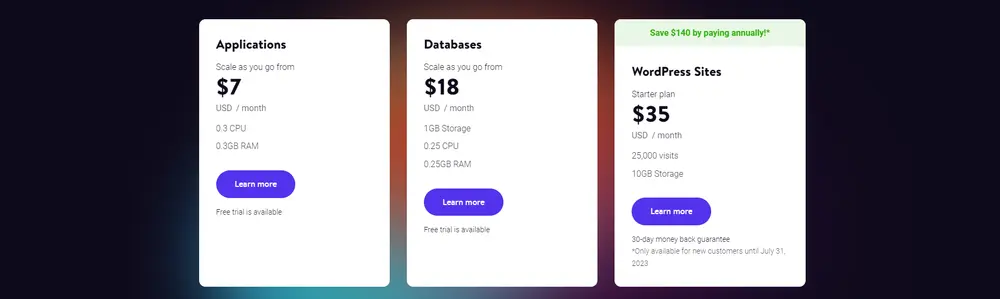
These are Kinsta’s Business plans, billed by bandwidth, checked October 24, 2026. Prices are in USD and exclude tax. Annual billing gives you 2 months free.
| Plan | Monthly | Annual (per month) | Billed annually | Bandwidth |
|---|---|---|---|---|
| Single 20GB | $35 | $30 | $350 | 20 GB |
| Single 40GB | $50 | $42 | $500 | 40 GB |
| Single 65GB | $90 | $75 | $900 | 65 GB |
| Single 125GB | $170 | $142 | $1,700 | 125 GB |
| Single 250GB | $290 | $242 | $2,900 | 250 GB |
| Single 500GB | $375 | $313 | $3,750 | 500 GB |
For multiple sites, plans start at $70 a month for 2 WordPress installs (WP 2), then $115 for WP 5, $225 for WP 10, $340 for WP 20 and $450 for WP 40. You can also choose visit-based billing instead of bandwidth. The entry plans include a first month free for new customers, and every plan has a 30-day money-back guarantee after any free period.
Unlike budget hosts, Kinsta doesn’t use a cheap intro price that jumps at renewal. What you see is roughly what you keep paying.
What the entry plan includes
The $35 Single plan gives you:
- 1 WordPress install
- 20 GB server bandwidth a month
- 10 GB storage
- 125 GB CDN bandwidth a month
- 14-day backup retention
- Unlimited free migrations
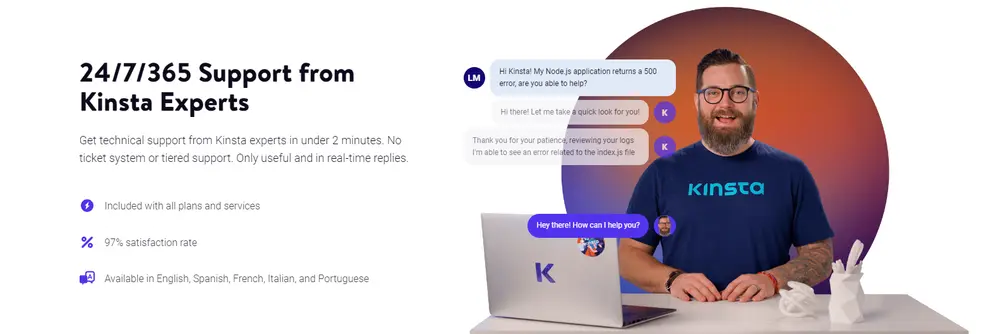
- 24/7 human support in 8 languages
Every plan also includes free SSL, a redirects manager, bot protection, an application performance monitoring (APM) tool, staging environments and an uptime SLA of up to 99.99%.
Where Kinsta earns its price
Infrastructure. Sites run on Google Cloud’s network, and you can choose from many data center locations around the world.
Support. Support is one of the reasons people pay for Kinsta. It’s available around the clock, from people who work with WordPress every day, and Kinsta reports strong ratings on review sites like G2.
Tools. MyKinsta handles staging, backups, caching, PHP versions and site logs. The built-in APM tool helps track down slow plugins or database queries, something budget hosts rarely include.
Security. Free SSL, a firewall, DDoS protection and bot protection come as standard, and Kinsta handles malware cleanup on managed plans.
Things to know before you buy
- Hard limits matter. Plans are capped by bandwidth or visits. Go over them and you pay overage fees or move up a plan.
- Storage is modest. 10 GB on the entry plan suits most sites, but large media libraries may need more.
- No email hosting. Like most managed WordPress hosts, Kinsta doesn’t include mailboxes. Use Google Workspace, Microsoft 365 or another provider.
- WordPress only. Kinsta’s managed plans are built for WordPress, so other CMSs need a different host.
WordPress.org’s server requirements list the basics any host must meet, and Google’s web.dev guide explains how to measure your site’s speed after you move.
Moving a site to Kinsta
Migrations are free and unlimited, which is unusual at this level. You request one from MyKinsta, Kinsta’s team copies your site, and you check the result on a temporary URL before changing DNS. Staging lets you test plugin or theme updates on a copy before pushing them live, which helps avoid breaking a store during busy hours.
Who gets the most out of Kinsta
WooCommerce stores, membership sites, online course platforms and content sites with steady traffic benefit most, because they rely on dynamic pages that caching can’t fully cover. Agencies that charge clients for hosting also use Kinsta for its multi-site plans and client-friendly dashboard.
What owners complain about
Kinsta’s reviews are strongly positive, especially for support and speed. The criticisms tend to be:
- Price compared with shared hosting
- Bandwidth or visit overages on busy months
- No email hosting included
- Limited storage on lower plans
- Plan limits per site that add up for agencies with many small sites
Most complaints are about cost rather than quality.
How to choose the right Kinsta plan
- Check your current monthly bandwidth or visits in your analytics or current host’s dashboard.
- Pick a plan with headroom, since overages cost more than upgrading.
- Pay annually if you’re sure, saving the equivalent of 2 months.
- Use the free migration to move your site without downtime.
- Set up email elsewhere before you switch DNS.

Kinsta vs alternatives
| Kinsta | SiteGround | DreamHost | Liquid Web | |
|---|---|---|---|---|
| Type | Managed WordPress (cloud) | Shared and cloud WordPress | Shared and VPS | Managed WordPress and servers |
| Entry price | $35/mo | From $2.99/mo intro | From $2.89/mo intro | Higher |
| Renewal jump | Minimal | Large | Moderate | Varies |
| Email included | No | Yes | Trial | Varies |
| Best for | Busy, revenue-critical sites | Supported small business sites | Budget multi-site hosting | Dedicated and enterprise needs |
If you want strong WordPress support at a lower price, see our SiteGround review. Budget options include DreamHost and Hostinger. For dedicated servers, read our Liquid Web review. Once your site is fast, our Semrush review covers SEO tools. See more in our web hosting reviews.
Who should skip Kinsta
Skip Kinsta if your site is small or personal, if you need email hosting included, or if your budget is under $30 a month. Agencies with dozens of tiny sites may also find per-install pricing expensive. The pros and cons are below.
Our verdict on Kinsta
Kinsta is one of the best managed WordPress hosts available. It combines Google Cloud infrastructure, excellent 24/7 human support and useful developer tools, with clear pricing that doesn’t jump at renewal. It costs more than shared hosting, but for businesses where speed and uptime affect revenue, it’s easy to justify.
Our review method explains how we research hosts without running our own test sites.