Pictory solves a very specific problem: you have words, and you need video. Paste in a blog post, a script, a URL, a PDF or a slide deck, and it builds a first cut with stock footage, captions and an AI voiceover. You then edit the video by editing the text, which feels more like working in a document than in a timeline.
For marketers, course creators and small teams who need a steady stream of social clips, that’s a genuinely useful shortcut. More than 20,000 companies and institutions use it, according to Pictory. It isn’t magic, though. The automatic scene matching still needs a human eye, and the credit-based plans take a minute to understand. Billing complaints also come up often enough that you should set up your account carefully.

Pictory pricing and credits
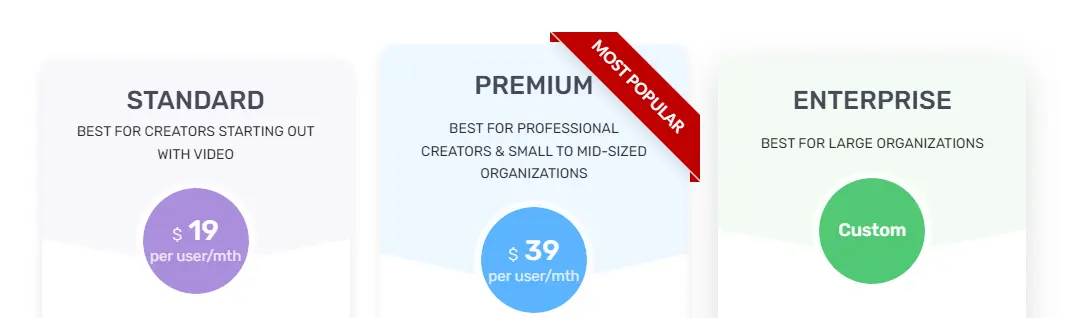
Pictory moved to a credit system, where each plan’s credits map to minutes of finished video. We checked these prices on pictory.ai on October 24, 2026.
| Plan | Billed annually | Billed monthly | Credits | Video allowance | Users |
|---|---|---|---|---|---|
| Free trial | Free for 14 days | n/a | 300 | Up to 10 mins | 1 |
| Starter | $25/mo | $29/mo | 24,000/yr or 2,000/mo | Up to 360 mins/yr (30 mins/mo) | 1 |
| Professional | $35/mo | $59/mo | 72,000/yr or 6,000/mo | Up to 1,080 mins/yr (90 mins/mo) | 1 |
| Teams | $119/mo | $199/mo | 216,000/yr or 18,000/mo | Up to 3,600 mins/yr (300 mins/mo) | 3+ |
| Enterprise | Custom | Custom | Custom | Custom | Custom |
Annual plans grant all credits upfront and come with a consultation that Pictory values at $210. Billed yearly, Starter works out to $300 and Professional to $420.
Professional is the sweet spot for most solo creators. It triples the allowance, adds cloned avatars and voice clones, adds custom brand fonts and 5 brand kits, and opens a stock library of 18 million+ clips instead of 5 million+.
What Pictory does well
- Text to video in minutes. Scripts, articles, URLs, PDFs and PowerPoint files all work as starting points.
- Edit by text. Delete a sentence in the transcript and the matching footage goes with it, which is handy for trimming webinars and podcasts.
- Automatic captions. Useful for social feeds where most people watch muted.
- Licensed stock. Footage comes from Getty Images and Storyblocks, so you aren’t hunting for clips yourself.
- ElevenLabs voices. Multilingual AI voiceovers sound far more natural than older text-to-speech.
- Newer AI models. Pictory lists generative video models such as Veo 3.1 and AI avatars alongside the stock library.
Where it earns its keep
Pictory fits best when the words already exist. Typical uses include turning a weekly blog post into a 60-second social clip, cutting a 45-minute webinar into short highlights, building narrated lessons from course notes, and adding captions to talking-head recordings. In each case the script does the heavy lifting and Pictory handles the visual assembly.
Where it falls short
The automatic visuals are a starting point, not a finished product. Stock matches can be literal or generic, and reviewers often mention swapping scenes by hand. If your brand needs custom animation or precise timing, a traditional editor will still beat it.
Credits also need watching. Generative features such as AI video clips and avatars use more credits than a simple stock-based video, so heavy users can burn through a monthly allowance faster than the “minutes” figure suggests.
What owners complain about
Pictory scored 4.3 on Trustpilot when we checked, and most reviewers praise how easy it is. The negative reviews cluster around billing rather than the editor:
- Trial confusion. Upgrading to a paid plan ends the 14-day trial immediately, which some buyers didn’t expect.
- Unexpected renewals, including annual charges people say they didn’t notice coming.
- Hard-to-reach support, with complaints about an AI chatbot standing between users and a human.
- Voices tied to plans, so a voice you used on the trial may need a higher tier.
Pictory does reply to most complaints and reports some refunds, but plan around these issues from the start.
How to sign up without surprises
- Use the full 14-day trial first. Upgrading early ends it.
- Pick monthly billing until you know how many minutes you actually use.
- Set a renewal reminder. The FTC’s advice on free trials and auto-renewals applies here.
- Know where cancel lives: My Account, then Billing, then Cancel Subscription. You keep access until the term ends.
- Check voice access on the plan you intend to buy before you build a series around one voice.
One more thing worth knowing: purely AI-generated material raises copyright questions. The US Copyright Office’s AI resources explain how human authorship affects protection, which matters if you sell courses or license your videos.

Pictory vs alternatives
| Pictory | Movavi Video Editor | Synthesia | Lumen5 | |
|---|---|---|---|---|
| Approach | Text and URL to video with stock | Traditional desktop timeline | AI presenter avatars | Blog-to-social video |
| Learning curve | Very low | Moderate | Low | Very low |
| Best for | Repurposing articles and webinars | Hands-on editing and effects | Training and explainer videos | Simple social clips |
| Pricing model | Credits by plan | One-off or yearly license | Subscription | Subscription |
If you’d rather edit by hand, our Movavi review covers a desktop editor with much finer control. Video tends to work best as part of a funnel, and our ActiveCampaign and GetResponse reviews cover the email side, while ManyChat handles chat automation. For research on what topics to turn into videos, see our Semrush review. More options are in our marketing tools reviews.
Who should skip Pictory
Skip it if you need frame-accurate editing or custom motion graphics, if you only make one or two videos a year, or if you want avatar-led training videos as your main format. The pros and cons are summarized below.
Our verdict on Pictory
Pictory is one of the fastest ways to turn written content into watchable, captioned video, and its text-based editing is genuinely easy for non-editors. The Professional plan at $35 a month billed annually is good value for regular creators. Go in with your eyes open on credits and billing, start on monthly, and it can save hours every week.
Our review method explains how we research software we haven’t tested hands-on.